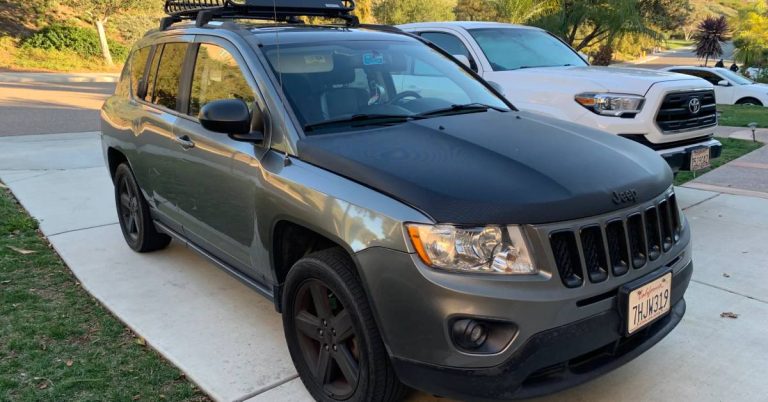
How to Change KM to Miles on Jeep Compass (2014–2025 Guide)

Here’s the short answer: press Settings > Units > Imperial on your Uconnect screen. On 2017+ models with a digital cluster, press the OK button on your steering wheel instead. Either way, the change takes under 60 seconds.
That said, many Compass owners hit a wall. They find the setting in one place but not the other — or they change it and the speedometer still reads in kilometres. This guide covers both methods, plus the older dashboard approach for 2014–2016 models, so you’re not left watching a two-minute video to find a single menu path.
You’ll also learn what else changes when you switch units, how to use the “Custom” mode for mixed settings, and what to do if the setting simply won’t stick. If you enjoy quick Jeep DIY fixes, you’ll also want to check our guide on how to take Jeep Wrangler doors off for another simple but satisfying task.
Step-by-Step: Changing Units via the Uconnect Infotainment Screen
This is the primary method for all 2017–2025 Jeep Compass models. It also works on most 2014–2016 trims with a touchscreen Uconnect system. Check your official Jeep owner’s manual if your screen layout looks different from the steps below.
The Uconnect 4 system interface is standard on most mid-to-upper Compass trims from 2018 onward. The menu structure is consistent across those model years.
The Full Menu Path
Follow these steps exactly:
- Start your Jeep Compass and let the Uconnect screen load fully.
- Tap Settings on the home screen (the gear icon, bottom-right on most layouts).
- Scroll down and select Units.
- Choose Imperial to switch to miles, MPG, and Fahrenheit.
- Alternatively, choose US Standard if that’s the label on your year’s firmware.
- Tap Apply or simply exit — the change saves automatically.
Expected outcome: Your speedometer, trip distance, and fuel economy all convert immediately. You don’t need to restart the car.
Common Mistakes Here
Don’t select Metric — that keeps everything in kilometres. The labels sound obvious, but in a moving car it’s easy to tap the wrong line.
Some 2018–2020 models show “Custom” as a third option. Don’t panic. Custom lets you mix units (miles for speed, L/100km for fuel). Select Imperial first to set everything to US units, then revisit Custom if you want a specific combination later.
The menu path on Uconnect 3 (found on base Sport trims) is nearly identical: Settings > Display/Units > Units. If you see “Display” as a submenu, go inside it first.
Quick Shortcut: Changing Units on the Digital Speedometer (2017+ Models)
This method skips the touchscreen entirely. It’s faster.
Works on Compass trims with a digital instrument cluster — standard on Latitude Plus, Limited, and Trailhawk trims from 2017 onward. This shortcut is widely discussed in the My Jeep Compass forum discussion on unit-switching, but almost no text guides explain it clearly.
Steps to Use the Steering Wheel Shortcut
- Turn on the ignition (engine running or accessory mode works).
- Use the left-side steering wheel controls to navigate your instrument cluster display.
- Scroll to the Speedometer screen or the Trip Computer view.
- Press the OK button (centre of the D-pad on the left stalk).
- On some trims, press and hold the Reset button instead.
- The unit toggles immediately — km/h switches to mph, and related readings update.
That’s it. No touchscreen needed.
What to Watch For
Not all 2017+ Compass models have the digital cluster. The base Sport trim sometimes ships with an analog speedometer, which has no digital toggle. If you don’t see a digital speed readout on your cluster, this shortcut won’t apply — use the Uconnect method above.
Also, pressing OK while on a different cluster screen (like tire pressure or navigation) won’t toggle units. You must be on the Speedometer or Trip screen first.
Older Models (2014–2016): Accessing Dashboard Settings
This group needs a different approach entirely.
The 2014–2016 Compass predates modern Uconnect touchscreens on many trims. If your car has a traditional radio display rather than a full touchscreen, look for a physical Settings button on the dashboard — typically to the left of the steering wheel, near the instrument cluster controls.
Steps for Analog-Era Compass Models
- Locate the small Settings or Menu button on the dashboard (not the radio).
- Press it once to enter the instrument cluster settings.
- Use the scroll wheel or arrow buttons to navigate to Display or Units.
- Scroll to US / Metric toggle.
- Select US to switch to miles.
- Press OK or wait 3 seconds for the setting to save.
Expected outcome: The speedometer needle scale changes, and trip distance reads in miles.
Why This Confuses People
Most YouTube searches pull up Uconnect touchscreen tutorials. If you’re on a 2014 or 2015 Compass, those steps don’t apply to your car. The physical dashboard button is the only path.
Also, don’t confuse this with the radio display. The radio controls temperature and audio. The instrument cluster settings button controls the speed unit, odometer display, and driver info screens. They’re physically close on some trims but completely separate systems.
Troubleshooting: Why My Jeep Compass Won’t Switch to Miles
Sometimes the setting just won’t stick. Here’s why that happens.
Stuck in Custom mode: If a previous owner or dealer set units to Custom, switching to Imperial might not update every display immediately. Go back into Settings > Units, select Metric first, then switch back to Imperial. That reset often clears the conflict.
Service mode or dealer lock: Some Compass models — particularly pre-delivery vehicles or fleet units — have locked display settings. If tapping Imperial does nothing, your dealer may have applied a configuration lock. Check with your service centre. You can also reference the 2024 Compass settings reset guide for model-specific reset instructions on recent builds.
For broader Jeep dashboard issues, our guide on how to get Jeep Compass out of limp mode covers related electronic glitches, and our how to replace a Jeep starter article is useful if electrical gremlins go deeper than the display.
Firmware glitch on 2022–2024 models: A small number of owners report that the Units menu reverts after a software update. Fix it by performing a soft reset: hold the power button on the Uconnect screen for 10 seconds until it reboots. Then re-enter your Units preference. You can also browse Jeep Cherokee police car configuration details to see how Jeep handles fleet-specific Uconnect lockouts — the same logic sometimes applies to standard models.
Try this sequence if nothing works:
- Turn the car completely off
- Wait 60 seconds (allows the system to power down)
- Restart and re-enter
Settings > Units > Imperial - Confirm the change before touching any other menu
What Else Changes When You Switch to Miles?
Switching units does more than move the speedometer needle. Here’s everything that updates.
| Display Element | Metric (Before) | Imperial (After) |
|---|---|---|
| Speedometer | km/h | mph |
| Trip Distance | kilometres | miles |
| Fuel Economy | L/100km | MPG |
| Range Estimate | km remaining | miles remaining |
| Odometer | km total | miles total |
The odometer change is important. Your total mileage history doesn’t disappear. The raw data stays the same — you’re just viewing it in miles rather than kilometres. This matters for service intervals. If your oil change is due at 8,000 km, that’s roughly 4,970 miles. Don’t schedule maintenance based on the old km number after switching.
For towing or payload specs that reference distance in miles, see our Jeep Wrangler towing capacity guide — those figures are listed in imperial, and knowing your display unit helps you match them correctly.
The same unit sensitivity applies to other vehicles. If you track mileage across multiple cars, knowing how to find total mileage on Tesla is equally useful since Tesla displays can toggle between units too. For maintenance items where specs reference imperial measurements, our best Jeep Wrangler oil filter guide shows how filter specs appear in real-world product listings.
For EV owners comparing range across vehicles, guides like how to check tire pressure on Tesla and how to install a Tesla charger at home walk through unit considerations in those contexts. And if battery weight in lbs versus kg ever comes up during a comparison, how much does a Tesla Model 3 battery weigh covers that in detail.
Note: 1 mile = 1.609 km. So 100 mph ≈ 161 km/h, and 30 MPG ≈ 7.8 L/100km.
Frequently Asked Questions
Can I keep the speedometer in miles but show fuel economy in L/100km?
Yes. Select Custom in Settings > Units. Custom mode lets you set each measurement independently — speed, fuel economy, and temperature can each be set separately. This suits Canadian drivers who think in L/100km but want mph speed readings.
Does switching units change my VIN or permanent odometer record?
No. Your odometer data is stored in raw pulses. The display unit is a preference layer only. Switching between km and miles doesn’t alter your vehicle history or affect Carfax reports.
My 2024 Compass changed units but reverted the next day. Why?
This is a known firmware issue on some 2022–2024 builds after a Uconnect update. Perform a soft reset (hold power on the Uconnect screen for 10 seconds), then re-apply your unit preference. If it keeps reverting, ask your dealer to check for pending software updates.
The Units menu is greyed out. What do I do?
A greyed-out Units option usually means the car is in a restricted mode — common on pre-delivery or fleet vehicles. Your dealer can unlock it. It can also happen if the Uconnect system is still booting. Wait 90 seconds after starting the car before entering settings.
Does this affect my navigation app directions?
It depends. The Uconnect built-in navigation will update to miles. But Apple CarPlay and Android Auto use your phone’s system settings, not the Compass unit preference. Change your phone’s units separately inside the Apple Maps or Google Maps settings.
Conclusion
Two methods. One result.
Use Settings > Units > Imperial on the Uconnect screen for most models. Press OK on the steering wheel cluster for a faster toggle on 2017+ digital dash trims. On 2014–2016 models, find the physical Settings button beside the steering column.
Once you switch, confirm your odometer reads correctly before your next service. Your maintenance intervals don’t change — just the unit they’re displayed in.
If the setting doesn’t stick, do a soft reset and re-apply. If it’s greyed out, your dealer can remove any configuration lock in minutes.
For the full Uconnect menu reference, download the Jeep Compass owner’s guide directly from Jeep’s digital companion portal. It includes model-year-specific screenshots for every trim.
You’re done. Go drive in miles.