
Tesla MCU3 Upgrade: Complete Performance and Feature Comparison vs. MCU2

The infotainment system in your Tesla matters more than you might think. While it doesn’t affect driving capability or autonomous features, it shapes every interaction with your vehicle’s touchscreen, games, navigation, and streaming services. The jump from MCU2 to MCU3 represents a significant hardware shift that fundamentally changes how your Tesla feels during daily use.
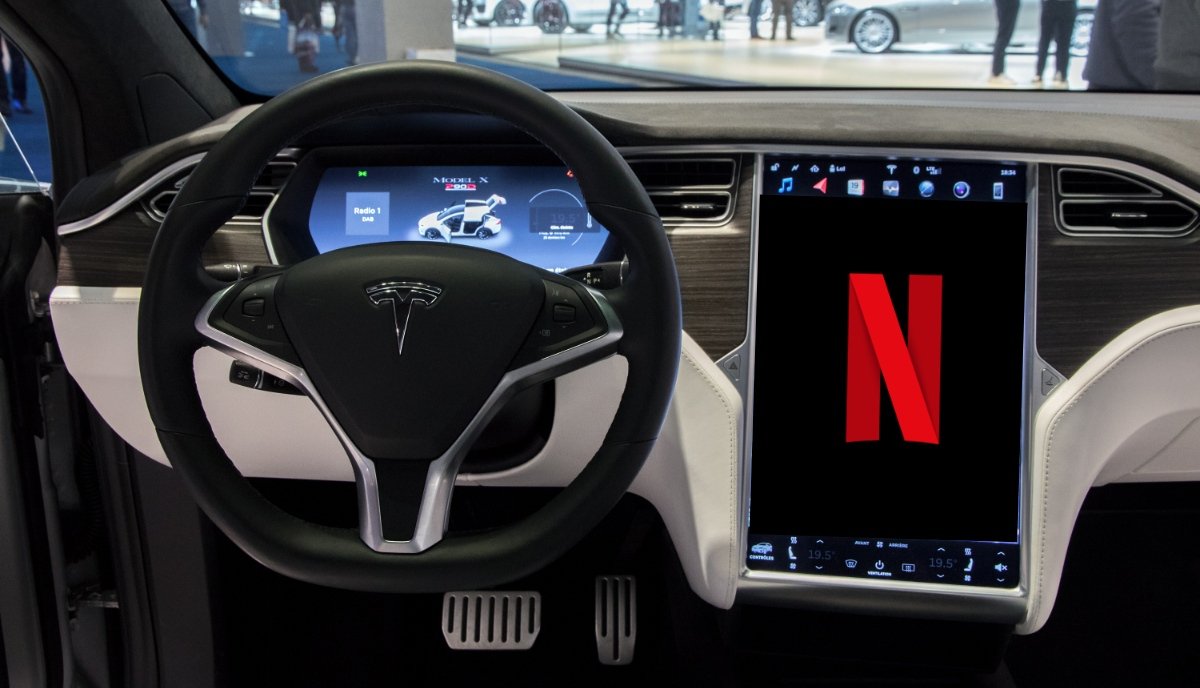
credit: www.teslarati.com
Understanding Tesla’s Media Control Unit (MCU) Architecture
Tesla’s Media Control Unit is the computer managing your vehicle’s center touchscreen and all infotainment functions. The MCU system operates independently from the Autopilot hardware—upgrading one doesn’t affect the other. This distinction matters because it means your Full Self-Driving capability remains unchanged whether you have MCU2 or MCU3.
Tesla has released three generations of MCU hardware. MCU1 powered older Model S and Model X vehicles through April 2018, running on NVIDIA’s Tegra processor. MCU2 followed in 2017 with the Model 3 launch and continued through 2022 in most models, relying on Intel’s Atom E8000 series processor. MCU3 debuted in December 2021 with refreshed Model S and Model X, then rolled into Model 3 and Model Y production, and powers all new Tesla vehicles today, including Cybertruck.
| Preview | Product | |
|---|---|---|

|
Tlyard 7.2in Rear Seat Display for Tesla Model 3 2017-2023 Model Y 2020-2024LCD Screen AC Control… | Check Price |
MCU2 (Intel Atom): Capabilities and Current Limitations
MCU2 uses an Intel Atom E8000 series CPU with 64GB of storage and brought meaningful improvements over MCU1 when it launched. The processor supports a Chromium-based browser, 5G/WiFi connectivity, and expanded entertainment features like Netflix, YouTube, and Tesla Arcade games.
However, the Atom processor shows its age. Loading times consistently lag, web browsing feels sluggish on text-heavy pages, and video playback occasionally stutters. Map rendering takes noticeably longer when zooming or panning across regions. Netflix app launches in roughly 20 seconds on MCU2, compared to just 4 seconds on MCU3—a 5-fold difference that compounds across daily use.
MCU2 features operate at reduced capability in several areas. Autopark visualizations display only a top-down 2D view, limiting spatial awareness during parking. The parked view shows a basic split-screen layout rather than a full-screen visualization. Gaming options are limited, with many newer titles unavailable due to processor constraints. Vehicle visualization displays are basic, lacking the advanced transparency and background blur effects found on MCU3.
Tesla continues supporting MCU2 vehicles with software updates, including recent enhancements like Automatic Emergency Braking and FSD compatibility. However, new features prioritize MCU3, with older systems receiving backported versions when technically feasible.
MCU3 (AMD Ryzen): Specifications and Performance Advantages
MCU3 replaces the Intel Atom with an AMD Ryzen APU featuring a quad-core processor running at 3.8 GHz with Zen+ architecture. The system pairs this CPU with an AMD Navi 23 GPU, creating a combined processing unit substantially more powerful than MCU2. In practical benchmarks, MCU3 demonstrates processing capability 2x faster than Intel Atom across nearly all tasks.
The performance improvement translates directly into user experience. Apps launch smoothly without frame drops. Navigation maps render instantly when moving or zooming. Web browsing on MCU3 achieves speeds comparable to smartphone performance—pages load visibly faster, and scrolling remains fluid even on graphics-heavy sites. Video services stream without buffering delays that plague MCU2 systems.
MCU3’s GPU integration enables advanced 3D rendering that MCU2 cannot achieve. This allows Tesla to implement high-fidelity visualizations of your vehicle, surrounding traffic, parking scenarios, and upcoming road conditions. The processor handles demanding graphics tasks like Unreal Engine-based visualizations that are planned for future Tesla updates—MCU2 lacks the GPU capability to run these features.
Gaming performance on MCU3 reached console-level capability. Tesla Arcade includes recent releases like Vampire Survivors and Castle Doombad, titles that demand significant GPU processing that only MCU3 vehicles support. Older titles run at consistent frame rates without performance bottlenecks. The gaming experience approaches what users expect from dedicated gaming hardware.
Direct Feature Comparison: What You Get with MCU3
| Feature | MCU2 (Intel Atom) | MCU3 (AMD Ryzen) |
|---|---|---|
| App Loading | 20 seconds (Netflix) | 4 seconds (Netflix) |
| Browser Performance | Slow scrolling, delayed rendering | Smooth, responsive, no lag |
| Autopark Visualization | Top-down 2D view only | Full 3D visualization with precision |
| Parked View | Split-screen with vehicle on left | Full-screen with shadows & reflections |
| Gaming Library | Limited selection, casual titles only | Split-screen with vehicle on the left |
| Map Rendering | Noticeably slower pan/zoom | Instant response to navigation input |
| Vehicle Visualization | Solid colors, basic transparency | Advanced effects, background blur |
| Video Streaming | Occasional buffering, frame skipping | Smooth, no stuttering |
| Web Browser Speed | HTML5 test score ~11.7 (Speedometer) | Significantly faster rendering |
| FSD Visualization | Limited to North America only | Available globally, region-specific |
| Future Features | Unreal Engine unavailable | Supports Unreal Engine updates |
The gap extends beyond performance metrics to feature availability. Tesla designs new capabilities for MCU3 first, then attempts to backport features to MCU2 when technically feasible. This architectural constraint means MCU2 owners increasingly fall behind on ecosystem features.
Is MCU3 Worth Upgrading? Availability and Reality
Here’s the critical limitation: Tesla has not offered an MCU2 to MCU3 upgrade path. When discussing upgrading to MCU3, the reality involves purchasing a new Tesla with MCU3 standard equipment rather than retrofitting an existing vehicle.
Tesla previously offered MCU1 to MCU2 retrofits for approximately $2,000–$2,500 in labor and hardware costs, available through Tesla Service Centers. This created an expectation that MCU2 owners might eventually receive similar upgrade options.
However, the MCU3 unit uses different power requirements, harness connectors, and physical dimensions compared to MCU2. Tesla has explicitly confirmed that no official retrofit path exists, and technical analysis confirms the hardware incompatibilities make retrofitting unfeasible.
Third-party aftermarket solutions exist for MCU2 vehicles, primarily adapters and controller units that add features without replacing the entire MCU. These products connect to the existing MCU and provide capabilities like rear-screen controls or ambient lighting. However, they don’t upgrade the core infotainment processor itself.
The practical consideration for MCU2 owners involves timing. If purchasing a new Tesla, all models come standard with MCU3. If you own an MCU2 vehicle and feel restricted by its performance, usage patterns determine whether the limitation impacts daily satisfaction. Heavy browser users, gamers, and navigation-dependent drivers experience more frustration than those primarily using Autopilot and audio features.
MCU3 Rollout Timeline and Current Availability
MCU3 production began in December 2021 with refreshed Model S and Model X. Tesla rapidly expanded MCU3 to Model 3 and Model Y by early 2022, though initial rollout focused on performance variants. By 2023, most Model 3 and Model Y vehicles will be shipped with the MCU3 standard. As of 2025, all new Tesla vehicles—including Cybertruck—come equipped with MCU3 as standard.
If shopping for a used Tesla, the vehicle’s build date determines its MCU version. Generally, any Model 3 or Model Y built after early 2022 has MCU3. Older 2021 and early-2022 examples may have MCU2, particularly if sourced from inventory built before MCU3 production ramped. Checking the vehicle’s system information through the Controls menu reveals your MCU version: look for either “Intel Atom” (MCU2) or “AMD Ryzen” (MCU3).
Performance Impact on Real-World Usage
The MCU2 processor adequately handles basic infotainment. Simple tasks like playing music, adjusting the climate, and using Supercharger navigation work smoothly. The limitations emerge during multitasking—streaming video while navigating creates noticeable delays. Gaming becomes frustrating with frame rate dips. Web browsing for entertainment during charging stops feels dated compared to smartphone performance.
MCU3 changes the expectation. The responsiveness feels native, with no perceptible lag between input and response. This matches user familiarity with modern smartphones and tablets, eliminating the cognitive friction of waiting for the screen to respond. Streaming video plays seamlessly while navigating. Gaming runs at consistent frame rates. Web browsing feels current.
For drivers who primarily use Autopilot and basic infotainment, MCU2 suffices. For those using in-car entertainment, gaming during charging sessions, or expecting smartphone-level responsiveness, MCU3 provides a noticeably better experience. The difference compounds across thousands of interactions during vehicle ownership.
Future-Proofing and Long-Term Support Considerations
Tesla’s development trajectory increasingly assumes MCU3 hardware. The planned transition to Unreal Engine for Autopilot visualization currently targets MCU3-equipped vehicles (Model S, Model X, and potentially higher-end Model 3/Y variants with discrete GPUs). MCU2 vehicles will receive optimized versions, but MCU3 receives cutting-edge implementation first.
This pattern suggests MCU2 vehicles will experience gradual feature availability gaps over the coming years. Not eliminating support, but deprioritizing MCU2 development in favor of MCU3. If you plan to keep a Tesla beyond 5–7 years, MCU3’s architecture is better for long-term feature access.
Tesla’s commitment to supporting MCU2 vehicles remains genuine—they continue releasing software updates and backporting popular features. However, the infrastructure burden of supporting three generations of MCU hardware may eventually cause Tesla to sunset MCU2 support in specialized features, similar to how MCU1 support has gradually diminished.
Making the Decision: Practical Guidance
If shopping for a new Tesla in 2026, you’re purchasing MCU3 standard—this decision is already resolved. If considering used market options, weigh the price difference between MCU2 and MCU3-equipped vehicles against your anticipated usage.
MCU2 vehicles typically trade at a discount compared to MCU3 equivalents, sometimes $3,000–$5,000 lower, depending on market and condition. If entertainment features matter—gaming, video streaming, seamless navigation—that discount may not justify the performance compromise. If you primarily drive and use basic features, the savings justify accepting older hardware.
For Model S and Model X owners with MCU2 wanting modern features without upgrading, Tesla’s official pathway remains limited. Service upgrades for autopilot hardware (MCU1 to MCU2 + Hardware 3) cost $1,000–$3,000, but MCU2 to MCU3 remains unavailable through official channels.
The MCU3 upgrade conversation ultimately reflects broader Tesla ecosystem maturity. As the company adds sophisticated features—real-time Unreal Engine visualizations, advanced AI-driven functions, enhanced gaming—hardware capabilities become differentiators between vehicle generations. MCU3 represents the threshold where Tesla’s entertainment ecosystem fully flourishes.