Why Is My Tesla Making Noise When Parked? (Normal vs. Concerning Sounds)

Your Tesla making noise when parked is almost always normal. Electric vehicles run active thermal management systems around the clock — even with the car off. Understanding what you’re hearing takes about two minutes.
What’s Normal — Common Parked Sounds
Parked Teslas make noise regularly. That’s expected behavior, not a fault.
The most common sound is a battery thermal management pump humming or clicking beneath the car. It sounds similar to a refrigerator motor — quiet, rhythmic, and brief. This system keeps the battery within its ideal temperature range automatically.
You may also hear the cooling fan spin up after a how fast is Tesla Supercharger session. DC fast charging generates significant heat. The fan continues running after you unplug to cool the battery down safely.
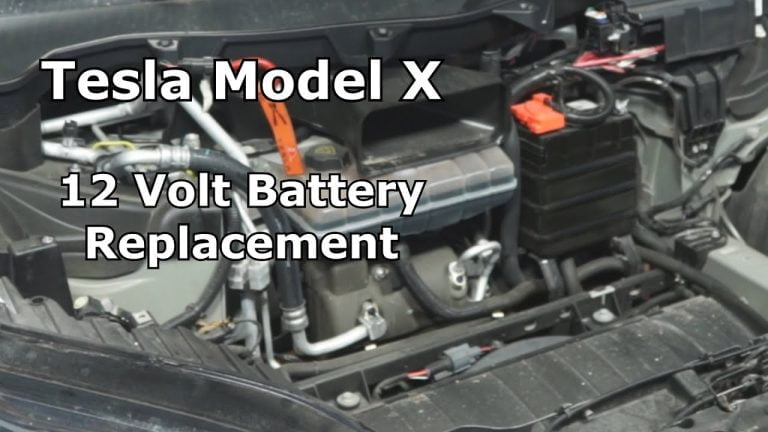
The low-voltage 12V battery also charges periodically from the main pack. This produces a faint clicking or chirping sound. It’s harmless. Can you charge a Tesla in the rain and still hear these sounds? Yes — weather doesn’t change thermal system behavior.
Normal parked sounds include:
- Soft humming from the thermal pump (10–30 seconds at a time)
- Fan noise after fast charging (fades within minutes)
- Electrical clicking from the 12V charging cycle
- HVAC hum if climate keep or dog mode is active
Abnormal or Concerning Noises
Some sounds do warrant attention. Knowing the difference matters.
Red flag sounds to watch for:
- Grinding or metal-on-metal scraping
- Loud knocking from the undercarriage or battery area
- Persistent squealing that doesn’t stop after a few minutes
- Crackling or popping from electrical components
These sounds are rare. Most Tesla owners never experience them. If you do hear grinding or sustained loud knocking, contact Tesla Support promptly — don’t wait for a scheduled service appointment.
Do Teslas require maintenance beyond standard EV checks? Yes, but less than gas cars. Abnormal sounds are one of the few situations where proactive service makes sense.
Persistent electrical crackling is worth noting too. A one-time pop is usually harmless. Repeated crackling near the battery or charge port is not.
Why Parked Teslas Make Noise (Technical Context)
EVs are fundamentally different from gas vehicles. There’s no engine, but there’s still plenty happening while parked.
How a Tesla car works differs from any traditional vehicle. The battery management system stays partially active at all times. It monitors cell temperature, balances charge across the pack, and protects against thermal extremes.
How Tesla heats the cabin through its heat pump system also explains parked noise. The heat pump compressor runs during preconditioning — warming or cooling the battery before a drive or before a scheduled departure. You might hear this even if you haven’t touched the car.
How Tesla air conditioning works follows the same logic. The HVAC system activates independently if you’ve set a cabin temperature or enabled climate control in the app.
Sentry Mode is another source. It keeps cameras active and draws a small amount of power. You may hear a faint electrical hum while Sentry is running.
Why thermal noise increases in certain conditions:
- Cold climates trigger more frequent pump cycles
- Hot weather causes extended fan operation
- Recent Supercharging sessions extend cooldown periods
- Software updates occasionally adjust thermal thresholds
Quick Troubleshooting Steps
Not sure if your sound is normal? Here’s how to check quickly.
Step 1: Note the sound’s location, pitch, and timing. Undercarriage hum = thermal pump. Fan noise from rear = cooldown cycle. Electrical clicking = 12V system.
Step 2: Check your Tesla app. If Sentry Mode or Climate Keep is enabled, that explains active system noise immediately.
Step 3: Review the Service tab in your Tesla touchscreen. Any fault codes or alerts will appear there. No alerts = likely no issue.
Step 4: Check your software version. Tesla refines thermal management algorithms with each update. Some phantom noises disappear after an OTA update.
Step 5: If the sound persists and feels wrong, contact Tesla Support with a short voice memo of the noise. That audio helps their team diagnose remotely.
Most parked noise complaints resolve without a service visit. The overwhelming majority are thermal systems doing exactly what they’re supposed to do.
Model-Specific Notes
Not every Tesla sounds the same when parked.
Model 3 and Model Y (2022+ refresh) with heat pumps produce noticeably more thermal noise than older models. This is by design — the heat pump is more efficient but more audible. Understanding how many batteries are in a Tesla Model 3 helps explain why thermal management runs so actively in these vehicles.
Model S and Model X (pre-2021) tend to run quieter while parked. They use resistive heating rather than a heat pump, which generates less pump noise.
Plaid variants run a more aggressive compressor. Short, sharp cooling cycles after performance driving are completely normal for these trims.
Cold-climate owners hear more parked noise in winter. More frequent thermal cycling = more sound. It’s normal, and it protects your battery.
The Bottom Line
Your Tesla making noise when parked is almost always the thermal management system doing its job. Normal sounds are quiet, brief, and rhythmic. Concerning sounds are loud, grinding, or persistent.
If something sounds genuinely wrong, use the Tesla app to check for alerts, then contact Tesla Support with a description or recording. In most cases, you’ll find nothing needs fixing — just a very active electric vehicle keeping itself in peak condition.